P60 Explained
Last reviewed: April 2026
Your P60 is your official end-of-year tax summary. Here is what every box means, what to do when yours arrives, and how to use it — or challenge it.
At a glance
- ✓Your employer must give you a P60 by 31 May after the tax year ends
- ✓It shows total pay, tax deducted and NI paid in that tax year
- ✓Keep your P60 — HMRC, mortgage lenders and UCAS all accept it as income proof
- ✓If your P60 figures look wrong, contact HMRC within 4 years to claim a refund
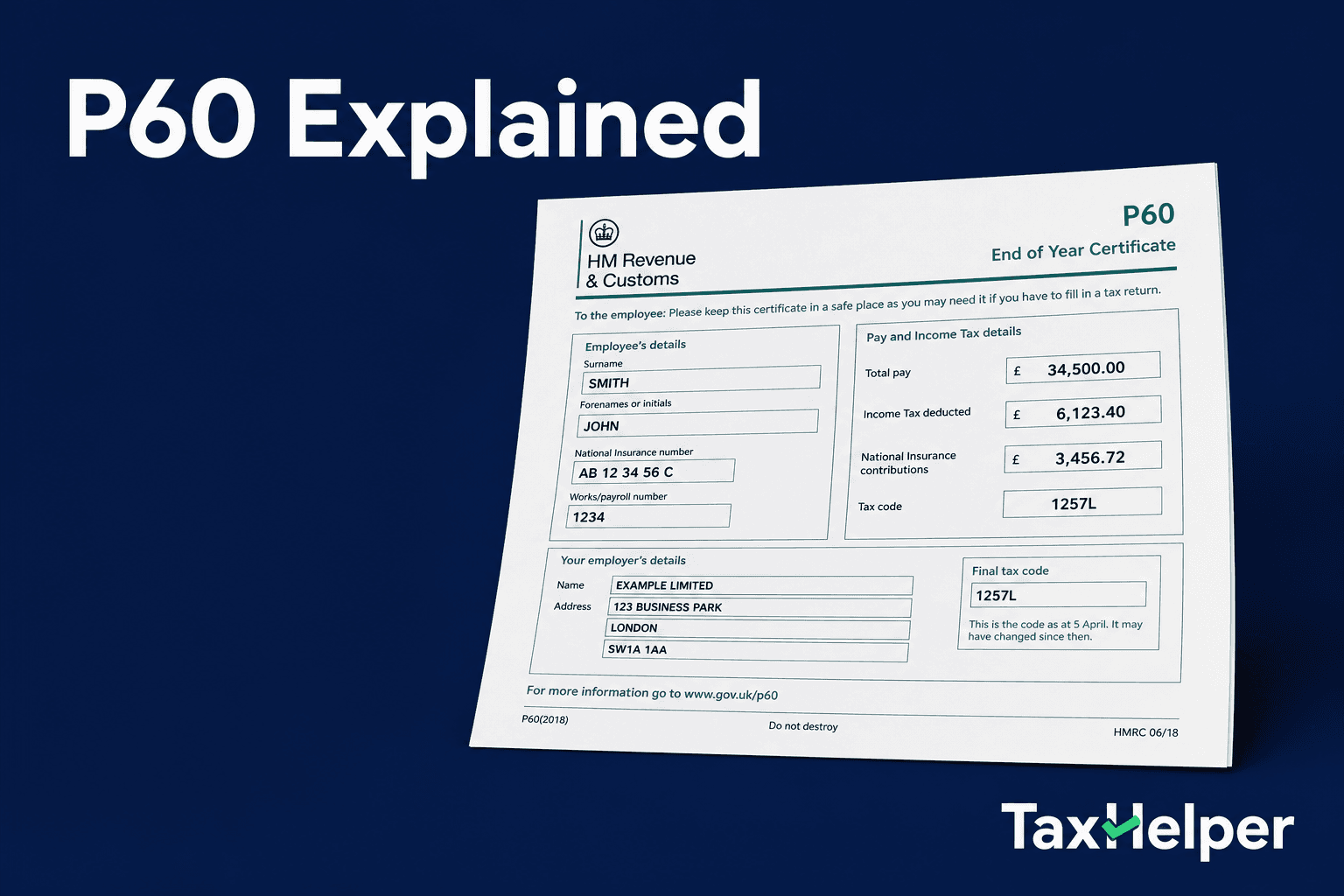
What is a P60?
A P60 is a certificate issued by your employer at the end of each tax year (5 April). It is a legal requirement — every employer must provide a P60 to every employee who was working for them on the last day of the tax year. The deadline to issue it is 31 May.
The P60 summarises, for that tax year: your total pay from that employer, the income tax deducted through PAYE, your National Insurance contributions and, if applicable, student loan repayments. Think of it as your official tax receipt for the year.
If you had more than one job in the tax year, each employer issues a separate P60 for the period you worked there — but only if you were still employed by them on 5 April. For jobs you left during the year, you would have received a P45 instead.
Digital P60s are now common
Most employers now issue P60s digitally through payroll portals or by email. A digital P60 is just as legally valid as a paper one for mortgage applications, benefit claims and tax returns.
What every section of your P60 means
Pay in this employment
Your total gross earnings from this employer in the tax year — before any deductions.
Tax deducted in this employment
The total income tax withheld from your pay by this employer during the year.
Final tax code
The tax code your employer was using for you at the end of the year. 1257L is the most common standard code.
NI contributions (employee)
Your National Insurance contributions for the year. The Class 1 employee NI you paid.
NI contributions (employer)
What your employer paid on your earnings. This does not come out of your pay but is shown for reference.
Previous employment pay / tax
If you changed jobs during the year, this shows totals from earlier employers that were carried forward to this employer.
Total for year
Your combined pay and tax across all PAYE employment in the year — including any previous employment figures.
Student loan deductions
Total student loan repayments taken from your pay by HMRC during the year.
What to do when your P60 arrives
Check it is correct
Compare the total pay figure against your payslips. Add up all your payslip gross earnings and check they match. Any discrepancy could mean you have overpaid or underpaid tax.
Check your tax code
The final tax code should reflect your circumstances. If it shows an emergency code (e.g. 1257L W1/M1) or an unexpected number, you may have overpaid.
Keep it for at least 22 months
HMRC recommends keeping P60s for 22 months after the end of the tax year. If you are self-employed, keep them for at least 4 years. Store digital copies securely.
Use it for your tax return
If you file a Self Assessment return, the figures from your P60 go on the employment pages. The 'pay in this employment' and 'tax deducted' figures are the key ones.
Mortgage and rental applications
Lenders and letting agents commonly request your last 2-3 years of P60s as proof of income. A P60 carries more weight than payslips alone as it is an official HMRC document.
Claim a refund if tax looks high
If the tax deducted looks higher than expected relative to your earnings, you may have overpaid. Use our refund tool to check if you can claim money back.
What if my P60 is wrong?
Errors do happen — and they matter
A wrong P60 can lead to paying too much or too little tax. If you file a Self Assessment using wrong figures you could receive a penalty, so it is worth getting it corrected.
Contact your employer's payroll team and provide the correct figures with supporting payslips.
Your employer should issue a corrected P60 or an amended version. They also need to submit a corrected Full Payment Submission (FPS) to HMRC.
If your employer is unresponsive or has ceased trading, contact HMRC directly on 0300 200 3300 with your payslips as evidence.
HMRC can update your record directly and issue any refund owed, or adjust next year's tax code if you underpaid.
Frequently asked questions
What is a P60?
A P60 is an end-of-year certificate your employer must give you by 31 May after the end of the tax year (5 April). It summarises your total earnings, income tax deducted and National Insurance contributions for that tax year. If you have only one job, it shows your complete picture for the year.
What do I do with my P60?
Keep your P60 safe — you will need it for Self Assessment tax returns, mortgage applications, benefits claims, and tax refund requests. It proves your income and the tax you paid. HMRC recommends keeping P60s for at least 22 months after the end of the tax year (4 years for self-employed).
What should I do if my P60 is wrong?
Contact your employer's payroll department first. If your employer has already sent incorrect information to HMRC, your employer needs to send a correction. You can also contact HMRC directly on 0300 200 3300 if your employer is unresponsive or has ceased trading.
What is the difference between a P60 and a P45?
A P60 is issued at the end of the tax year by your current employer and covers that full tax year. A P45 is issued when you leave a job and only covers your employment up to the leaving date. You keep your P60 but give Parts 2 and 3 of your P45 to your new employer.
Sources
Think you've overpaid tax?
Use your P60 figures in our salary calculator to check whether your tax deductions were correct, then see if you can claim a refund.